
Scripts, ready to run
Import a folder of JSX scripts, search by name and run the selected script with Apply. Keep your own automation tools within reach.
JSX folder · Run scriptsKeep your favorite scripts, expressions, project files and effects in one dockable AE panel. Build your own toolkit, find what you need by name and use Apply to run it or add it to your work.
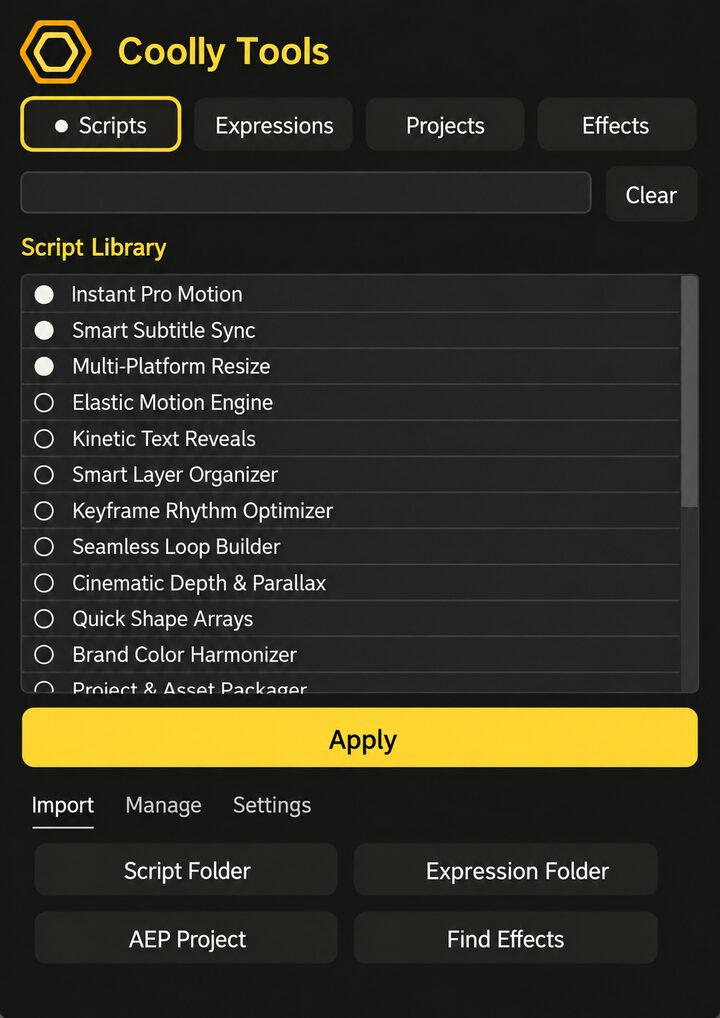
Preview both languages. Names shown are illustrative; add your own tools. Third-party effects must be installed separately.
Collect the tools you already use and call them from one place, directly inside After Effects.
Import a folder of JSX scripts, search by name and run the selected script with Apply. Keep your own automation tools within reach.
JSX folder · Run scriptsImport expressions from TXT files and apply them to selected properties in the active composition. Confirm before replacing an existing expression.
TXT files · Selected propertiesSave AEP project files to your library and import them into the current project with Apply. Reuse your own compositions, layouts and project setups.
AEP projects · Reuse setupsSearch effects available in your AE installation, add favorites to the library and apply them to selected layers. Installed third-party effects can be included too.
Installed effects · Selected layersA focused panel that fits your workflow and grows with the tools you collect.
Scripts, expressions, AEP projects and effects organized in four clear categories.
Filter the current library by name, select an entry and click Apply.
Double-click to pin favorites. Libraries and pin states are saved between sessions.
Dock the panel or use a floating window. Resize it to suit your workspace.
Choose Chinese or English. Both editions use the same library settings within the same AE version.
For motion designers, animators and creative teams with scripts, expressions or project setups they use again and again.
Download the Chinese or English edition, import your tools and keep them ready for your next project.